
Every AI edit lands on its own layer
Paint an area, say the change. The result covers only what you marked, so the rest of your photo stays exactly as you took it. Hide, fade, reorder or redo any layer, free.
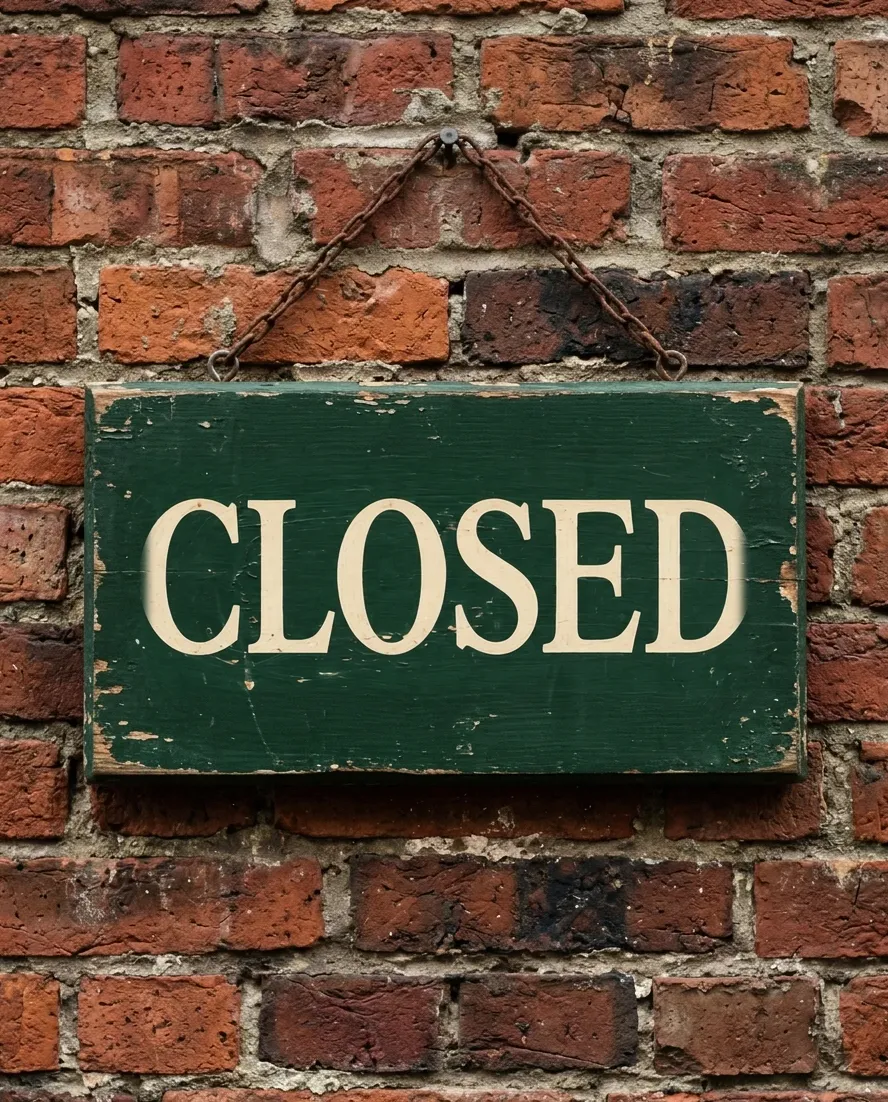
- Text: OPEN → CLOSED
- Look: Film 60%60%
Six tools, one stack
What each layer can do
Every tool adds a layer above your photo. Area tools touch only the area you mark; Looks and cut-outs cover the whole frame.
- 01
Edit
Mark an area and say the change: a red mug, a tidier desk, a plant on the sill. Only the marked area changes.
Photo editor with layers - 02
Remove
Mark crumbs, a bin, a cable or a sign and the area is filled to match the surface around it.
- 03
Text
Rewrite the words on a sign, menu, label or poster in the same style, colour and perspective.
Edit text in a photo - 04
Look
Re-grade the whole photo (Natural skin, Bright and airy, Film and more) and fade it to taste.
AI photo retouch - 05
Expand
Grow the canvas to 1:1, 4:5, 16:9 or 9:16 and fill the new border to match the scene.
- 06
Cut out
Cut the subject out onto a transparent layer and put a white, colour or blurred backdrop beneath it.
Real stacks
Before, after, and the layers in between
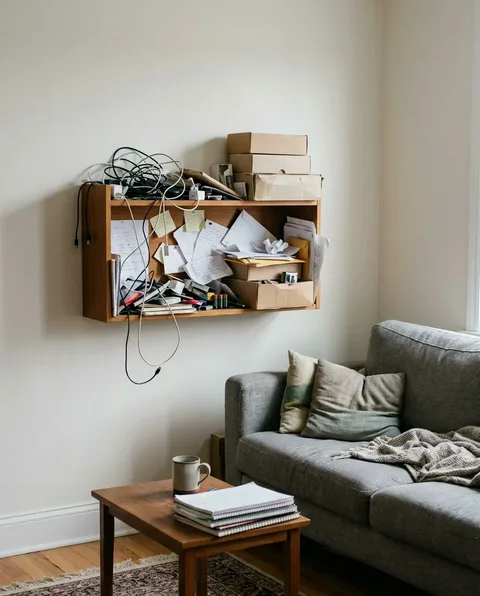
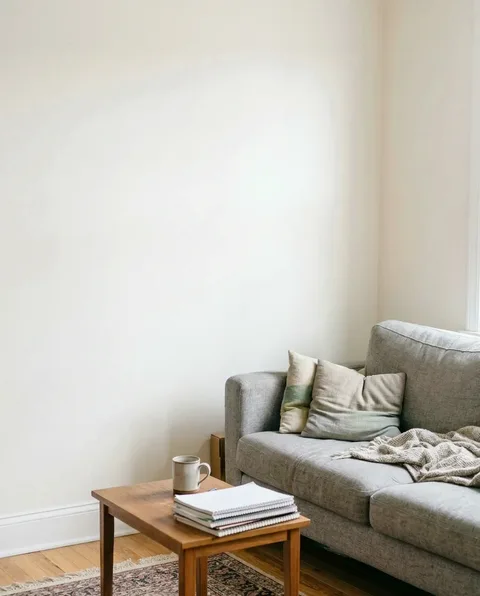
Each example ran on this site's own jobs, on our own sample photos with no real people. The list under each pair is its layer stack, bottom to top.
 Before
 After
- Remove: a crumb
- Look: Warm portrait 80%
- Expand: to 1:1
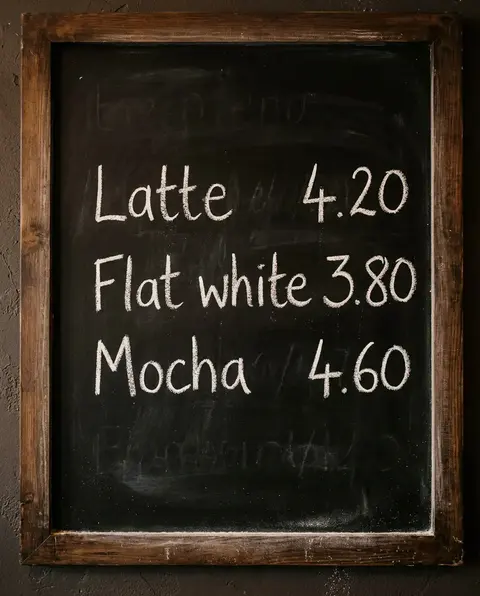 Before
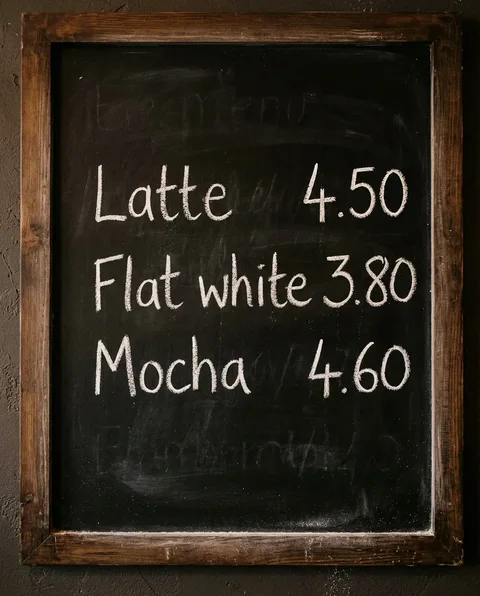 After
- Text: 4.20 → 4.50
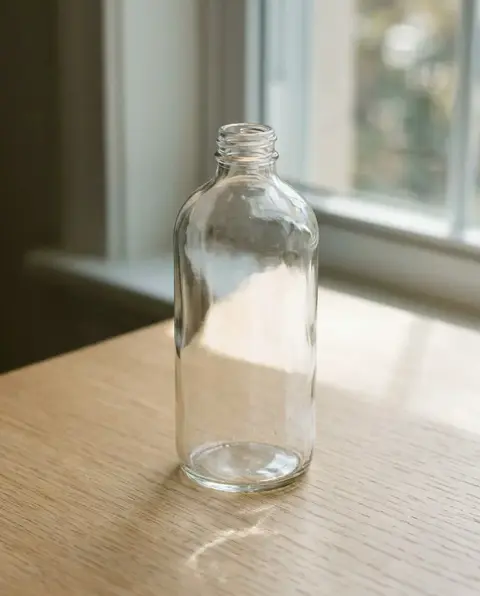 Before
 After
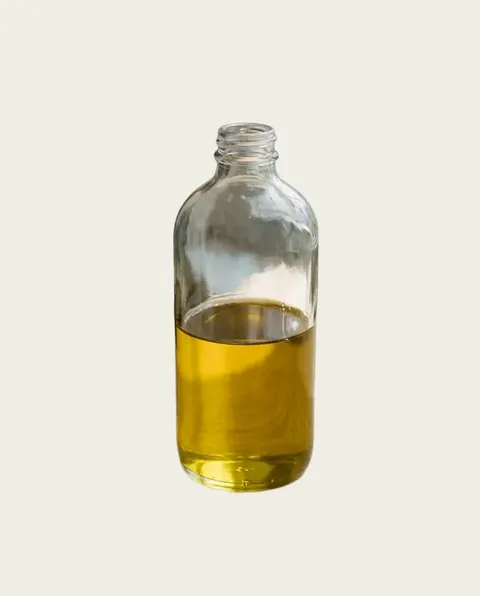
- Edit: Fill the bottle with olive oil
- Cut out: the bottle
 Before
 After
- Remove: the cluttered shelf
- Look: Bright and airy 85%
 Before
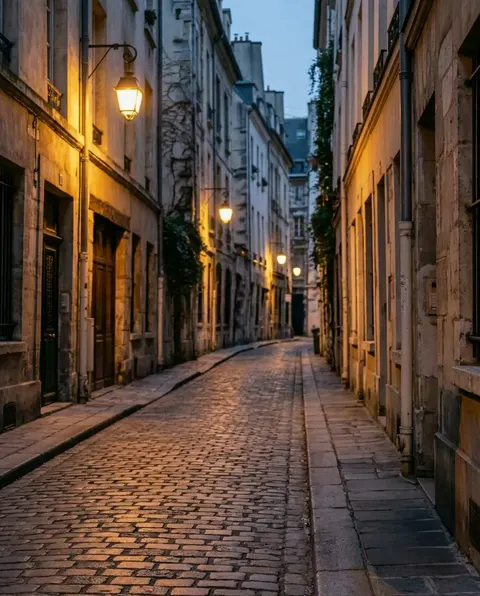 After
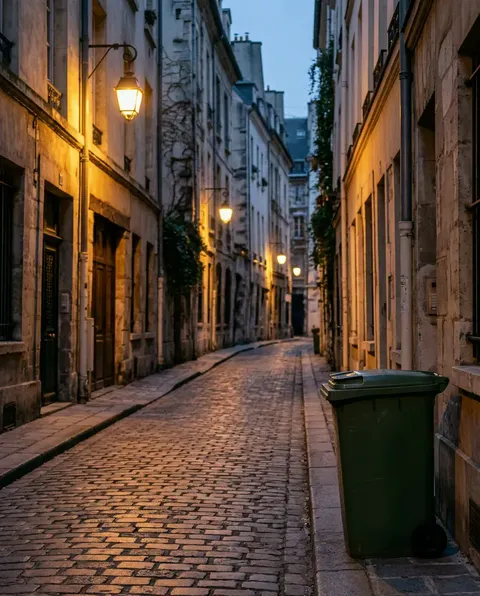
- Remove: a bin
- Look: Film 60%
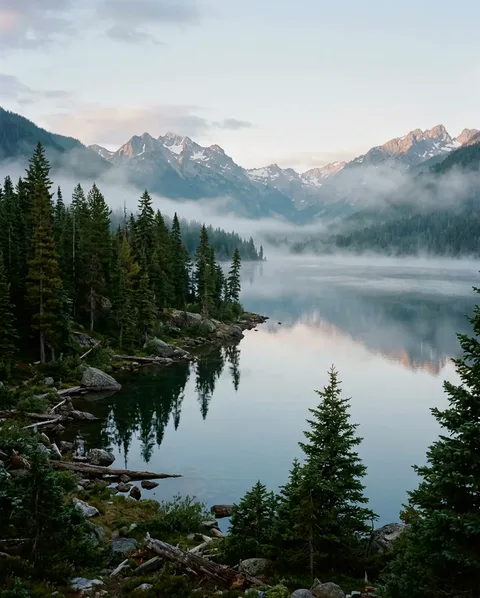 Before
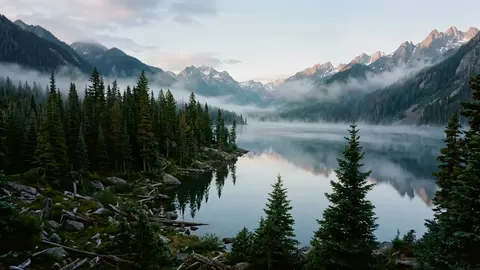 After
- Expand: to 16:9
Why layers
AI edits you can take back one at a time
Most AI editors hand back a new copy of the whole photo. Here each change is a separate layer over your untouched original.
Your photo never changes
Outside the marked area an edit layer is fully transparent, so every pixel there is the one you uploaded.
Fade, hide and reorder for free
Opacity, visibility, order, names, duplicates and deletes happen in your browser and cost nothing.
Redo one layer, keep the rest
Try new words on the same mask. If the new attempt fails, the first one comes back.
Take the layers with you
Download a flattened JPG, PNG or WebP at the photo's own size, or a ZIP with every layer as PNG, no watermark.
How it works
How to edit a photo in layers
Three steps; most layers finish in under a minute.
- 01
Open a photo
Drop a JPG, PNG or WebP. It becomes the base layer and stays untouched.
- 02
Mark the area, say the change
Brush or lasso the part to change, type what should happen, see the credits on the button, and run.
- 03
Arrange and export
Hide, fade or reorder the new layer, redo it with other words, then download the flattened photo or the layered ZIP.
Prefer a chat? Edit photos from Claude or ChatGPT with the MCP server
Models and credits
What each layer costs, and which model makes it
A fixed price per job, shown on the button before anything runs. Area edits, removals and Looks run Nano Banana 2.1, text edits run GPT Image 2, and the final 4K render runs Nano Banana Pro.
| Job | Model | Credits |
|---|---|---|
| Area edit, remove or Look, 1KNano Banana 2.1 | 24 credits | |
| Area edit, remove or Look, 2KNano Banana 2.1 | 35 credits | |
| Area edit or remove, 4KNano Banana 2.1 | 52 credits | |
| Edit the words in a photo, 1KGPT Image 2 | 35 credits | |
| Edit the words in a photo, 2KGPT Image 2 | 57 credits | |
| Expand to a ratio, 2KNano Banana 2.1 | 35 credits | |
| Cut out the subjectRecraft Remove Background | 13 credits | |
| 2x upscale on exportRecraft Crisp Upscale | 7 credits | |
| 4x upscale on export (up to 24 MP)Topaz Image Upscale | 113 credits | |
| Final 4K render of the flattened photoNano Banana Pro | 136 credits | |
| Layer changes, flattened download, layered PNG ZIP | Free |
Credits are kept only for jobs that finish. A failed job returns its credits by itself.
Pricing
Plans counted in edit layers
Monthly or yearly plans and one pack that never expires. New accounts get 24 free credits once, enough for 1 1K edit layer (24 credits).
Layer changes and source-size downloads are free.
Base Layer
For a few edited photos every week
$13.49/month
$161.90 billed once a year
or $16.19 billed monthly
- 3,732 credits a month
- About 155 1K area edits
- 44,792 credits a year, paid out as 3,732 each month
- 50 saved projects
- One edit at a time
- Every tool, 4K and the layered ZIP
- API keys and MCP for your own scripts
Blend Mode
For sellers and creators editing most days
$16.83/month
$201.90 billed once a year
or $20.19 billed monthly
- 5,012 credits a month
- About 208 1K area edits
- 60,152 credits a year, paid out as 5,012 each month
- 200 saved projects
- Two edits at a time
- Every tool, 4K and the layered ZIP
- API keys and MCP for your own scripts
Full Composite
For studios and shops with a steady stream of photos
$34.33/month
$411.90 billed once a year
or $41.19 billed monthly
- 10,772 credits a month
- About 448 1K area edits
- 129,272 credits a year, paid out as 10,772 each month
- 1,000 saved projects
- Four edits at a time
- Every tool, 4K and the layered ZIP
- API keys and MCP for your own scripts
Credit packs
A one-time purchase that never renews and never expires.
Flatten Pack · $36.19
6,272 credits that never expire, about 261 1K area edits.
- No trial that turns into a charge
- Email reminder 3 days before every renewal
- Cancel in Settings, any time
Free to start: confirm your email and 24 credits are added once, no card needed. That pays for 1 1K edit layer, one grant per mailbox. They never expire.
Changed your mind? Orders with 10% of their credits or less spent can be refunded: 7 days for monthly plans, 21 for yearly, 14 for packs. The unspent part comes back to you.
Questions about editing photos in layers
What is photoeditai.io?
photoeditai.io is an AI photo editor that works in layers. You open a photo, paint or lasso an area, say the change, and the result lands on its own layer over your untouched original. Layers can be hidden, faded, reordered, renamed, duplicated, deleted or redone.
Is it free to try?
Yes. New accounts get 24 credits once, added when the email address is confirmed: enough for 1 1K edit layer. Layer changes, the flattened download at the photo's own size and the layered PNG ZIP are always free.
Will the rest of my photo change?
Not with an area tool. Only a crop around the marked area goes to the model, and the result is pasted back through a feathered mask, so every pixel outside the area stays as you uploaded it. Looks and cut-outs are whole-frame layers by design, and you can fade or hide them.
Which AI models make the layers?
Area edits, removals, Looks and expands run Nano Banana 2.1 (Google). Text edits run GPT Image 2 (OpenAI). Cut-outs run Recraft Remove Background, 2x upscales Recraft Crisp Upscale, 4x upscales Topaz Image Upscale and the final 4K render Nano Banana Pro. photoeditai.io is independent and not affiliated with these companies.
How much does one edit cost?
A 1K area edit, removal or Look costs 24 credits; a 1K text edit 35; a cut-out 13; a 2x upscale 7; a 4x upscale 113; a final 4K render 136. The price shows on the button before you run.
Can I change the words on a sign or menu?
Yes. Pick Text, mark the words and type the new ones. They are redrawn in the same style on their own layer. Documents, IDs, money, tickets and certificates are refused.
Which photos can I open, and what size do I get back?
JPG, PNG or WebP (and HEIC where your browser opens it), at least 256 pixels on each side. Very large photos are scaled to 16 MP in your browser first. The flattened download comes back at the size of the photo you edited.
Can I edit photos of people?
Photos of you, of someone who gave you permission, or with no real person in them; you confirm that with a tick before each run. Changing bodies or ages, swapping faces, editing public figures and removing watermarks or logos are refused.
Who can see my photos?
Only you. There is no public gallery. Uploads and results that are not saved in a project are deleted 7 days after the edit; a project keeps its files until you delete it.
What happens if an edit fails?
The credits go back to your balance by themselves, and the layer card says what went wrong. If a Redo fails, the layer you had before comes back.
Billing, privacy, deleting your data and the rest are answered on the help page
Updated
Have a photo that is nearly right?
Open it, mark the part to change, and keep every edit on its own layer.